Most Companies Use One of Two Ingestion Patterns
If you are wondering how companies ingest data into their warehouse, this post is for you.
You’ll learn the patterns companies use to ingest data and their trade-offs.
Ingestion Pattern Is Chosen Based on Data Velocity
If your data is generated at a high velocity (think >1000 events per minute). The data is pushed into a cloud store via an event log.
Otherwise, data is pulled into your cloud store via batch pipelines.
Note: The cloud store (e.g. S3) can be replace with an OLAP system (e.g. Snowflake) table.
High Velocity Data Is Streamed to Cloud Storage
Data generated at high velocity is ingested following the steps below:
- Data is generated by the
client systemsand sent to thecompany server. - The company server validates that the data from client is valid (not bots, etc). The server asynchronously pushes data into an
event log(e.g. Kafka). If data source is internal (e.g. CDC), data is pushed directly to an event log. - Event log (e.g. Kafka) is responsible for handling large amounts of data volume.
- A
consumerreads data from the event log and writes it tocloud storage. E.g., A Kafka Connect cluster reads data from the Kafka topic and writes it to S3.
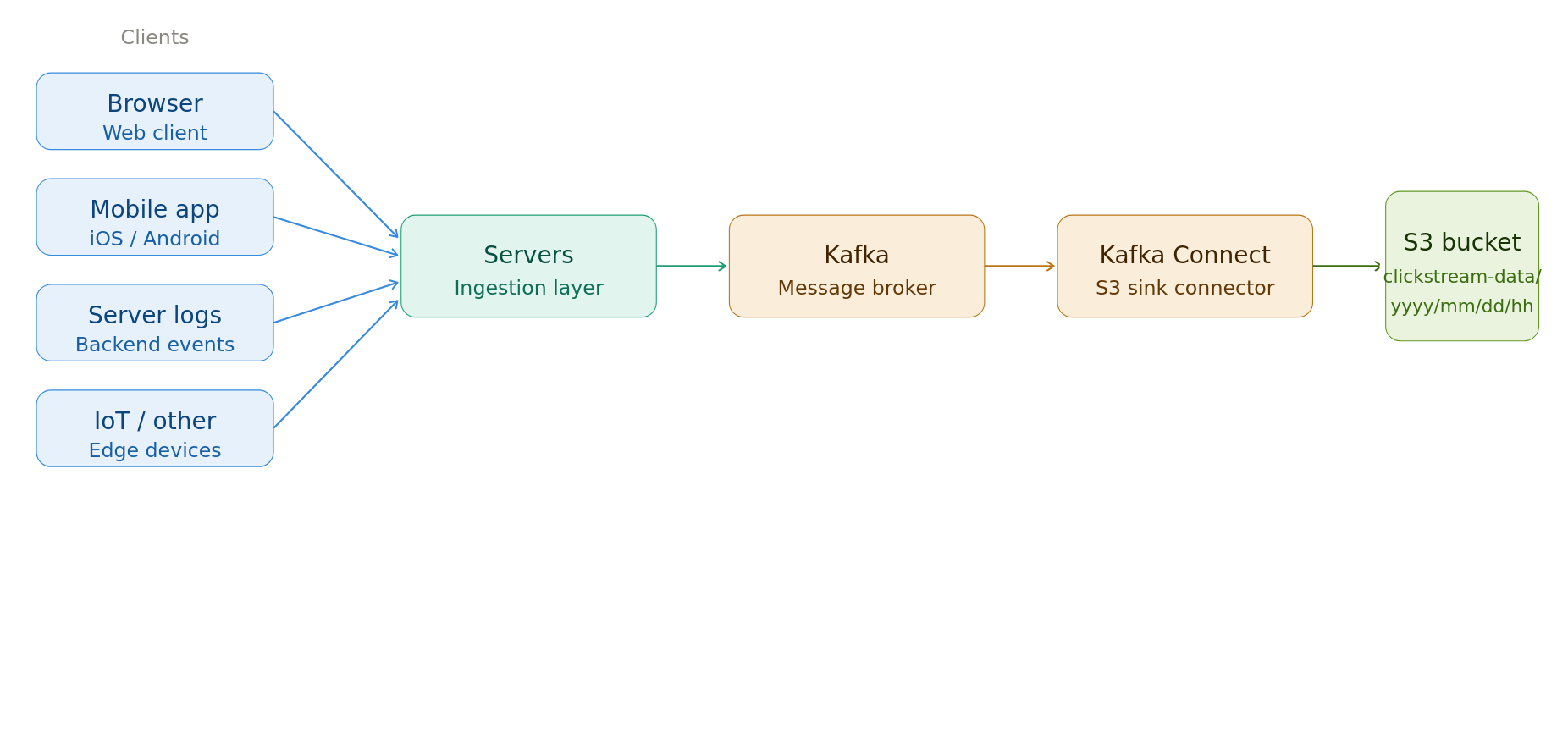
Ensure that the consumer writes large enough files to the cloud storage.
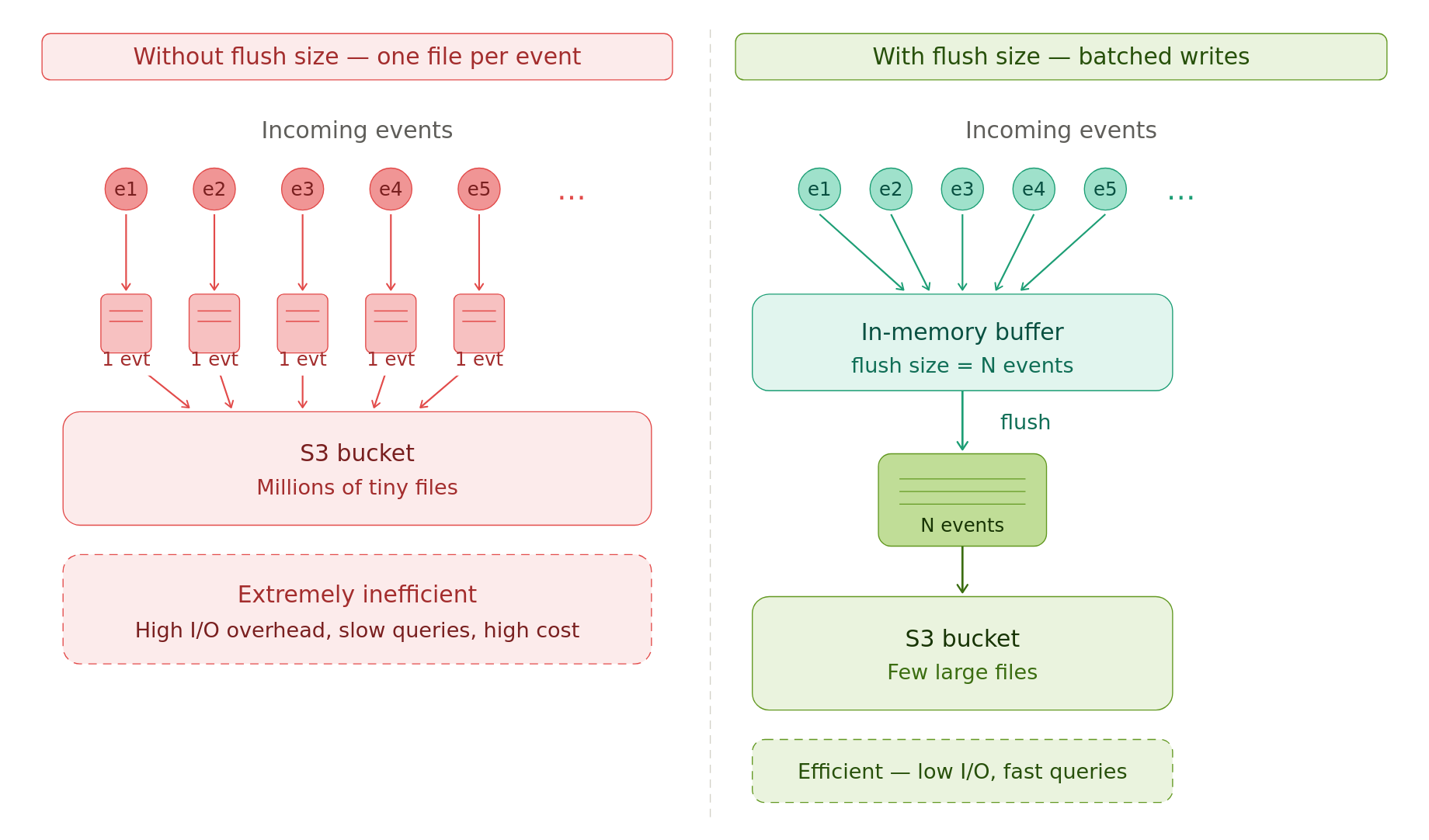
One file per event is extremely inefficient.
E.g., the Confluent S3 connector has a flush size that specifies how many events to hold in memory before writing them to cloud storage as a file.
Be mindful of event order & uniqueness; most event logs don’t guarantee them by default.
Dimension & 3rd-Party Data Are Ingested Periodically
Data from source systems like OLTP DB, SFTP/FTP servers, cloud storage, API are ingested via a batch process.
Batch processes are triggered by a scheduler (cron, Airflow, etc).
For small to medium data sizes, native Python is used; for larger data, distributed systems are used to extract data and dump data into a cloud storage.
Depending on the size and update-ability of the source, you can perform a full or an incremental data pull.
Extract Entire Source Data If it is Small/Medium Size
If the data size is small/medium (e.g., under 50GB per extract), the simplest option is a full extract.
In this approach, the entire source data is extracted and loaded into a cloud store.
To preserve historical data, ingestion systems create one output folder (partition) per extract. The folder path is typically the pipeline’s run datetime.
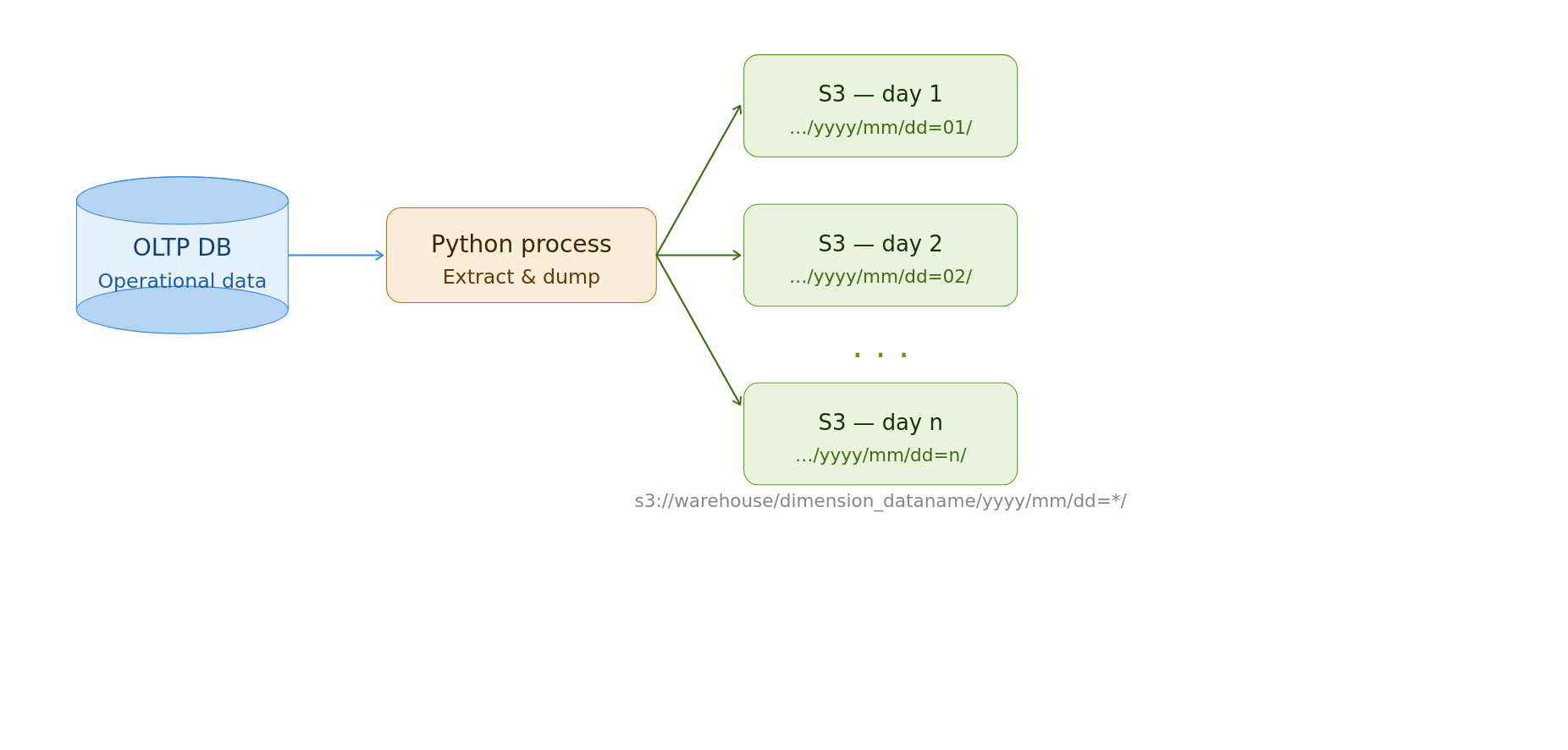
Cheap storage enables the storage of historical snapshots. But old data will need to be cleaned up regularly.
E.g., S3 Lifecycle policies can automatically delete old data.
No backfill logic is necessary since the entire source is pulled every time.
Read the latest data as shown below.
Extract Large Data With Date Intervals
If the data is large or expensive (e.g., due to API costs), pull a single chunk of data per run.
You will need a scheduling system to tell your data pipeline which data chunk to pull. See this data interval technique for how to do this.
The data is stored in a cloud store with output files partitioned or named by run time.
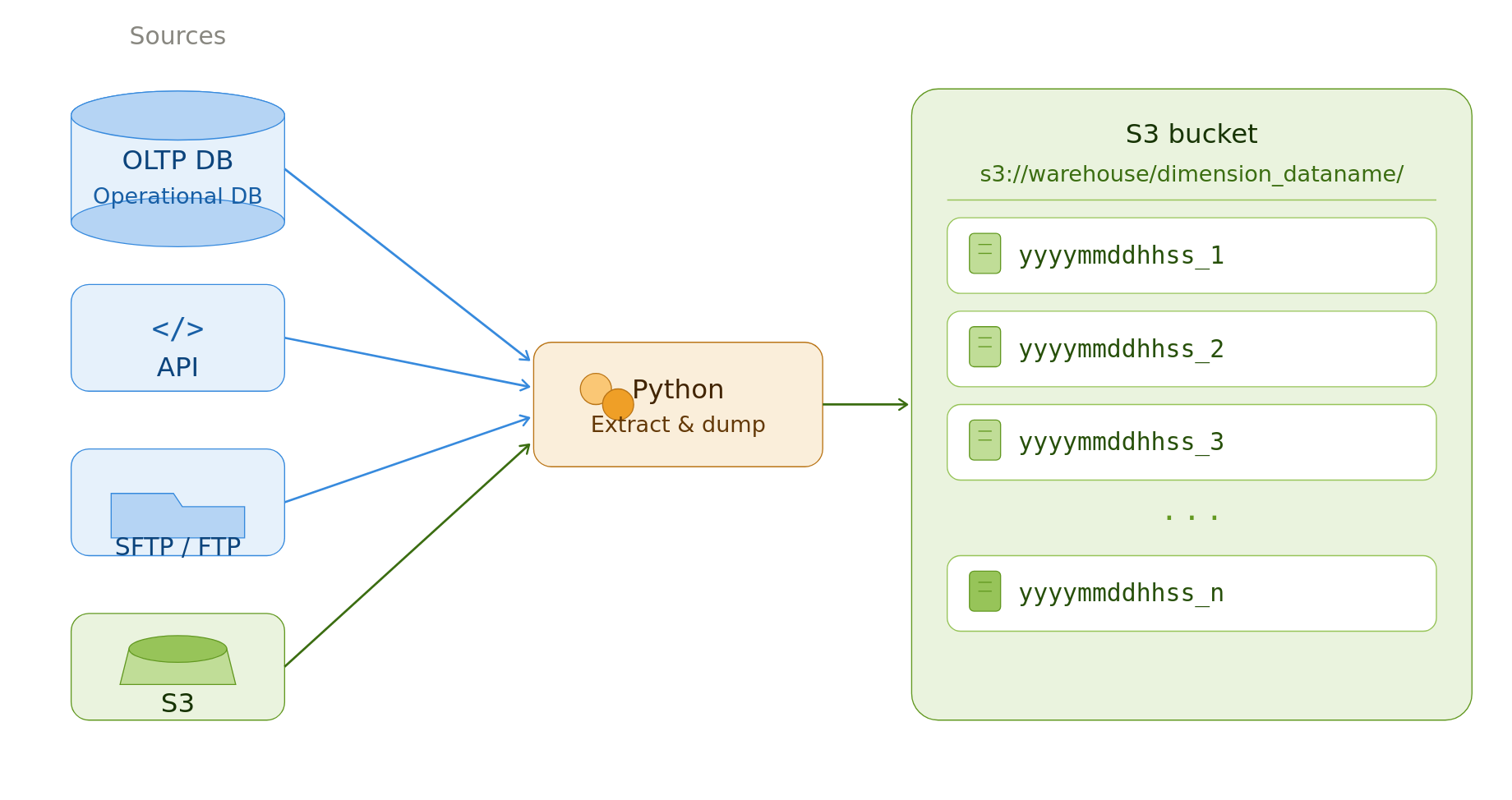
This pipeline is typically NOT IDEMPOTENT. Due to the risk of re-running the pipeline and overwriting existing data.
We trade off idempotency for safety + potential data duplication. Since this data store will serve as the source for downstream backfills, we need it to be complete.
We can remove possible duplicates and create snapshot/SCD2 versions as shown below.
-- Source: customer table
-- PK: customer_id
-- Update at column: updated_at (timestamp)

-- snapshot table
WITH deduped AS ( -- dedupes data
    SELECT *
    FROM read_parquet('s3://warehouse/dimension_dataname/*')
    QUALIFY ROW_NUMBER() OVER (
        PARTITION BY customer_id, updated_at
        ORDER BY updated_at DESC
    ) = 1
),
SELECT * -- picks the latest updated_at => most recent snapshot
FROM deduped
QUALIFY ROW_NUMBER() OVER (
    PARTITION BY customer_id
    ORDER BY updated_at DESC
) = 1

-- scd2
WITH deduped AS ( -- dedupes data
    SELECT *
    FROM read_parquet('s3://warehouse/dimension_dataname/*')
    QUALIFY ROW_NUMBER() OVER (
        PARTITION BY customer_id, updated_at
        ORDER BY updated_at DESC
    ) = 1
),
scd2 AS (
    SELECT
        *,
        updated_at AS valid_from,
        LEAD(updated_at) OVER (
            PARTITION BY customer_id
            ORDER BY updated_at
        ) AS valid_to -- selects the next updated_at ts for this customer_id
    FROM deduped
)
SELECT
    *,
    valid_to IS NULL AS is_current -- flag to indicate the most recent snapshot
FROM scd2
The data store acts as the bronze layer upon which silver and gold tables are built. See multi-hop architecture for more details.
Conclusion
To recap, we saw
- Ingestion Pattern Is Chosen Based on Data Velocity
- Fact Data Is Streamed to Cloud Storage
- Dimension & 3rd-Party Fact Data Are Ingested Periodically
These patterns are used in both system design interviews and in real-world pipelines.
What patterns do you use to ingest data? If you had the choice which one would you choose? Let me know in the comments below.