CI/CD for Data Infrastructure is Complex
AI can write CI/CD yaml files for you, but it cannot design CI/CD pipelines for your specific use case.
Are you trying to wrap your head around how to deploy data infrastructure changes? Do you feel:
Overwhelmed when you read CI/CD yaml files
Stuck wanting to deploy infra changes, but unable to get it through your company’s CI/CD pipeline
AI generates code, but cannot explain to you good CI/CD design
Then, this post is for you.
What if your changes can flow seamlessly to production? Multiply your team’s delivery speed and become an indispensable employee.
You will follow a process similar to code deployments.
By the end of this post, you will know.
- CI/CD design patterns for data infrastructure
- CI/CD concepts so you can leverage AI effectively
- How to deploy a CI/CD pipeline with GitHub Actions and Terraform
If you are not familiar with IaC, read this first
Setup walkthrough
Manually Validate Plan before Deploy

We use GitHub Actions to run our CI and CD processes. GitHub Actions have a free tier and are easier to set up than tools like Jenkins.
The GitHub Actions steps are run in a temporary virtual machine (aka serverless).
We define our CI and CD processes as individual GitHub Actions yaml files.
CI/CD PR flow walkthrough
You can create a pull request as shown below.
- 1
- Create a new branch for your feature
- 2
- Create a sample demo file
- 3
- Add and commit the changes to git
- 4
- Push the git changes to your repo on GitHub
On your GitHub page, click on this button that shows up to create a new PR.
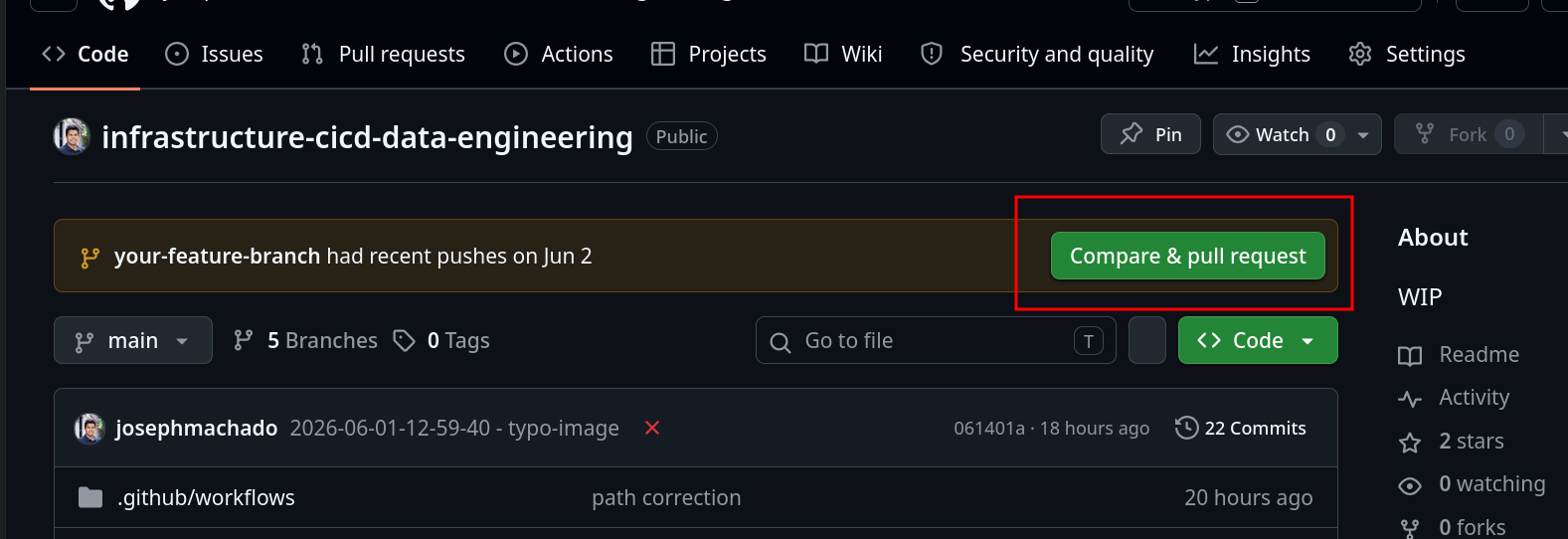
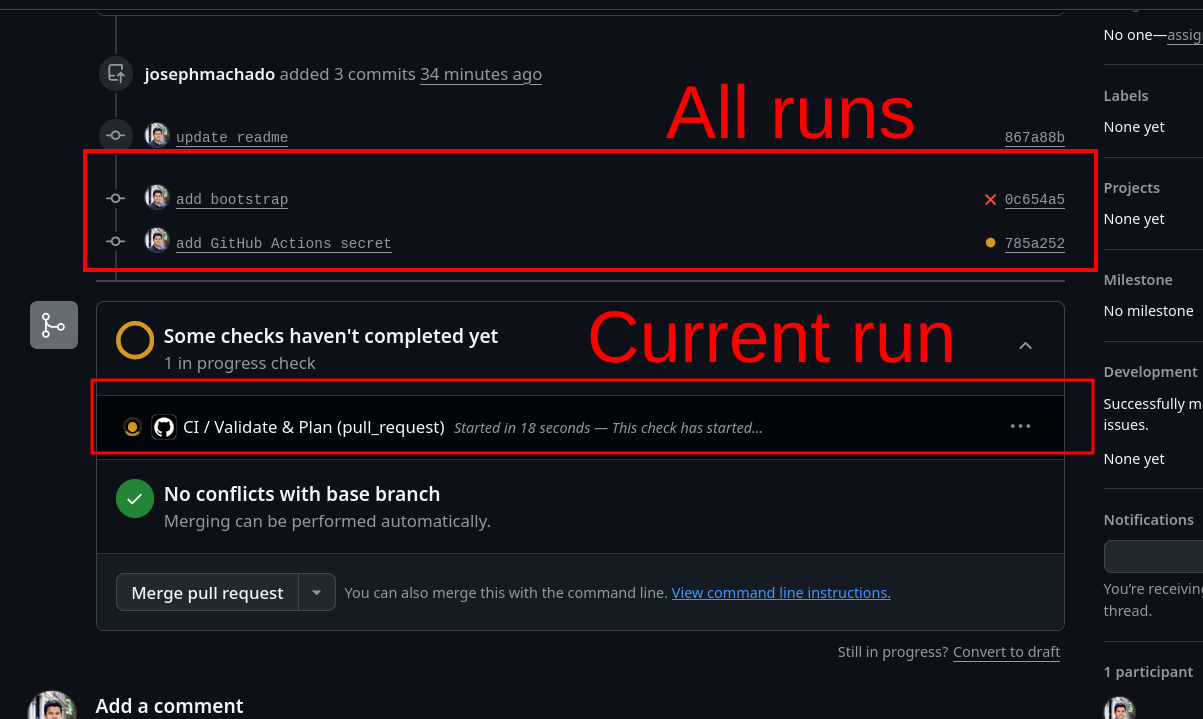
CI(Continuous Integration) ensures the PR is ready for human review
CI process runs automated checks and tests (& AI code reviews). This ensures that the pull request passes all the automatable checks.
Specifically for infrastructure changes, we run the following:
- Format checks
- Validation of IaC (terraform) files
- Add the Infrastructure change plan to the PR for review.
We should only open PRs for review if the CI checks pass.
CI GitHub Actions code walkthrough
name: CI
on:
pull_request:
branches:
- main
types: [opened, synchronize, reopened]
permissions:
contents: read
pull-requests: write # to post the plan as a PR comment
id-token: write # required for OIDC AWS role assumption
jobs:
# ──────────────────────────────────────────────────────────────
# PR: static checks + plan (NO apply)
# Plans against DEV state — merge applies to dev first.
# ──────────────────────────────────────────────────────────────
validate-and-plan:
name: Validate & Plan
runs-on: ubuntu-latest
steps:
- name: Checkout code
uses: actions/checkout@v4
- name: Setup Terraform
uses: hashicorp/setup-terraform@v3
with:
terraform_version: "1.9.0"
- name: Configure AWS credentials
uses: aws-actions/configure-aws-credentials@v4
with:
role-to-assume: ${{ secrets.AWS_ROLE_ARN }}
aws-region: us-east-1
# --- static checks ---
- name: Format check
run: terraform -chdir=terraform fmt -check -recursive
# Init against the dev state key (partial backend config).
- name: Init
run: terraform -chdir=terraform init -input=false -backend-config="key=dev/terraform.tfstate"
- name: Validate
run: terraform -chdir=terraform validate
# --- plan (dev) ---
- name: Plan
id: plan
run: |
terraform -chdir=terraform plan -input=false -out=plan.tfplan -var-file=envs/dev.tfvars -no-color | tee plan.txt
# --- post the plan on the PR ---
- name: Comment plan on PR
uses: actions/github-script@v7
with:
script: |
const fs = require('fs');
const plan = fs.readFileSync('plan.txt', 'utf8');
const body = `### Terraform Plan (dev)\n\`\`\`\n${plan.slice(0, 60000)}\n\`\`\``;
github.rest.issues.createComment({
issue_number: context.issue.number,
owner: context.repo.owner,
repo: context.repo.repo,
body,
});- 1
- Run this workflow, when a PR is opened
- 2
- Give this workflow these permissions
- 3
- GitHub Actions can have mutliple jobs, each with multiple steps
- 4
- Checkout code, install terraform, use aws creds from GitHub Secret
- 5
- Run checks
- 6
- Create the infrastructure change plan for dev environment and add it to the PR
CI processes typically do not make infrastructure changes. However, there are cases where companies create temporary full environments to run checks.
dbt’s CI process partially does this by creating PR-specific schemas to run data checks, as seen here.
CD (continuous deployment) streamlines deploying infrastructure changes to every environment
Companies typically have at least two environments.
Dev: Used to validate code and output data. Open access.Production: Real workloads and data. Access restricted.
The CD process deploys infrastructure changes across all environments.
Code changes that depend on existing infrastructure are deployed with a follow-up PR after the infrastructure has been created.
PR merge deploys changes to the dev environment
When our PR is merged into the main branch, the first step of the CD job is triggered.
In this step
- Infrastructure changes are applied to the
devenvironment. - A plan is created for the
productionenvironment.
name: CD
on:
push:
branches:
- main
permissions:
contents: read
id-token: write
env:
TF_VERSION: "1.9.0"
jobs:
# ──────────────────────────────────────────────────────────────
# Job 1: apply to dev + generate the prod plan for review (no gate)
# ──────────────────────────────────────────────────────────────
dev-and-prod-plan:
name: Deploy Dev & Plan Prod
runs-on: ubuntu-latest
environment: dev
steps:
- name: Checkout code
uses: actions/checkout@v4
- name: Setup Terraform
uses: hashicorp/setup-terraform@v3
with:
terraform_version: ${{ env.TF_VERSION }}
- name: Configure AWS credentials
uses: aws-actions/configure-aws-credentials@v4
with:
role-to-assume: ${{ secrets.AWS_ROLE_ARN }}
aws-region: us-east-1
# --- dev: init against dev state + apply ---
- name: Init (dev)
run: terraform -chdir=terraform init -input=false -backend-config="key=dev/terraform.tfstate"
- name: Apply (dev)
run: terraform -chdir=terraform apply -input=false -auto-approve -var-file=envs/dev.tfvars
# --- prod: re-init against prod state, then plan for review ---
# -reconfigure switches the backend to the prod key (different state file).
- name: Init (prod)
run: terraform -chdir=terraform init -input=false -reconfigure -backend-config="key=prod/terraform.tfstate"
- name: Plan (prod)
run: |
terraform -chdir=terraform plan -input=false -var-file=envs/prod.tfvars -no-color | tee prod-plan.txt
echo '### Prod Terraform Plan' >> "$GITHUB_STEP_SUMMARY"
echo '```' >> "$GITHUB_STEP_SUMMARY"
cat prod-plan.txt >> "$GITHUB_STEP_SUMMARY"
echo '```' >> "$GITHUB_STEP_SUMMARY"- 1
- Run this workflow, when PR is merged into main branch
- 2
- Apply infrastructure changes to dev
- 3
- Create prod change plan for human review
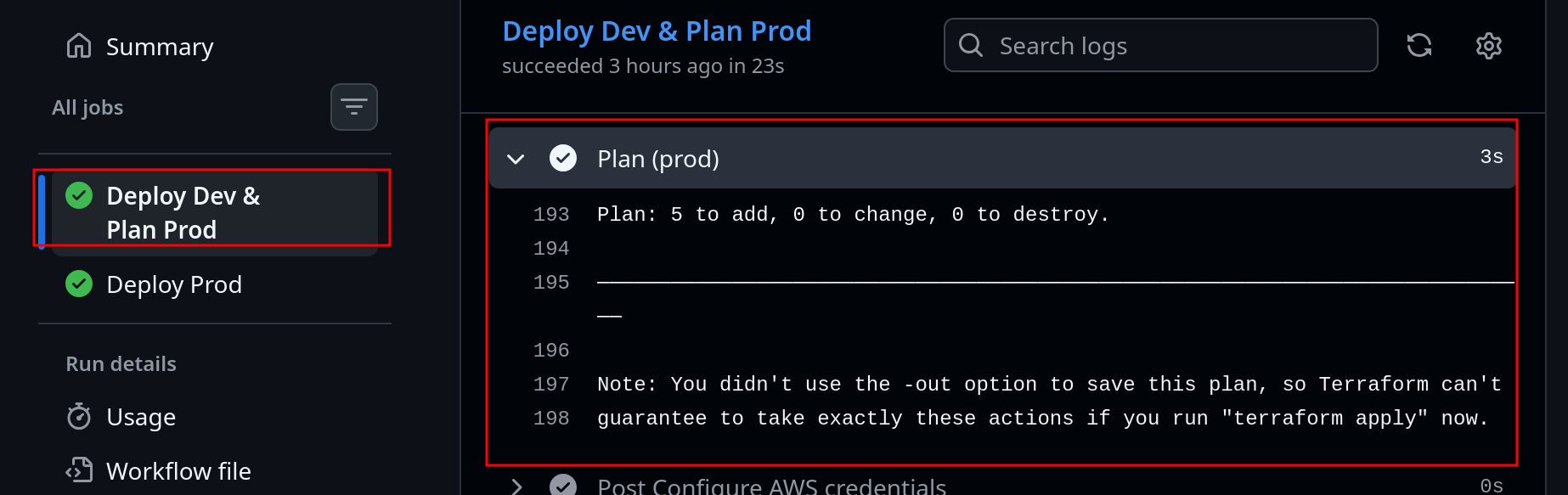
We will be able to see this in the repo as seen below.
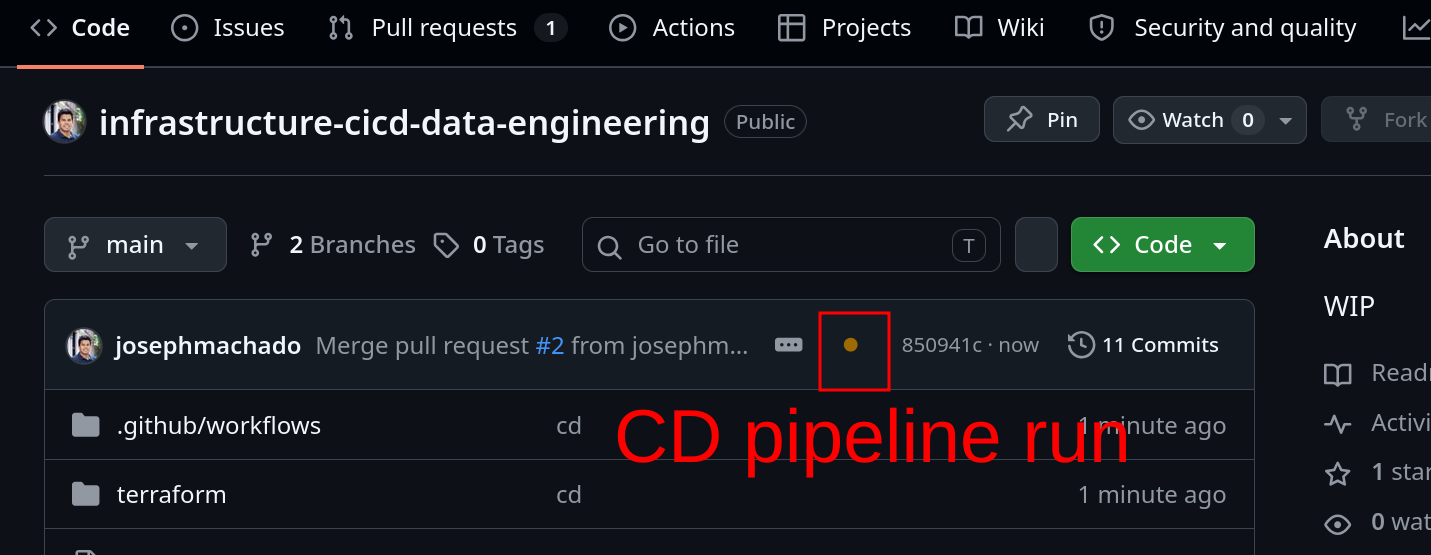
In this job, we will be able to see the plan for prod.
If infrastructure changes fail, we must quickly follow up with a PR to fix them (or revert the changes).
The downside is that during the interval between infrastructure change failure and our follow-up PR, we will be blocking other team members. Since most teams rarely change infrastructure, this is an acceptable tradeoff.
CD GitHub Actions code walkthrough
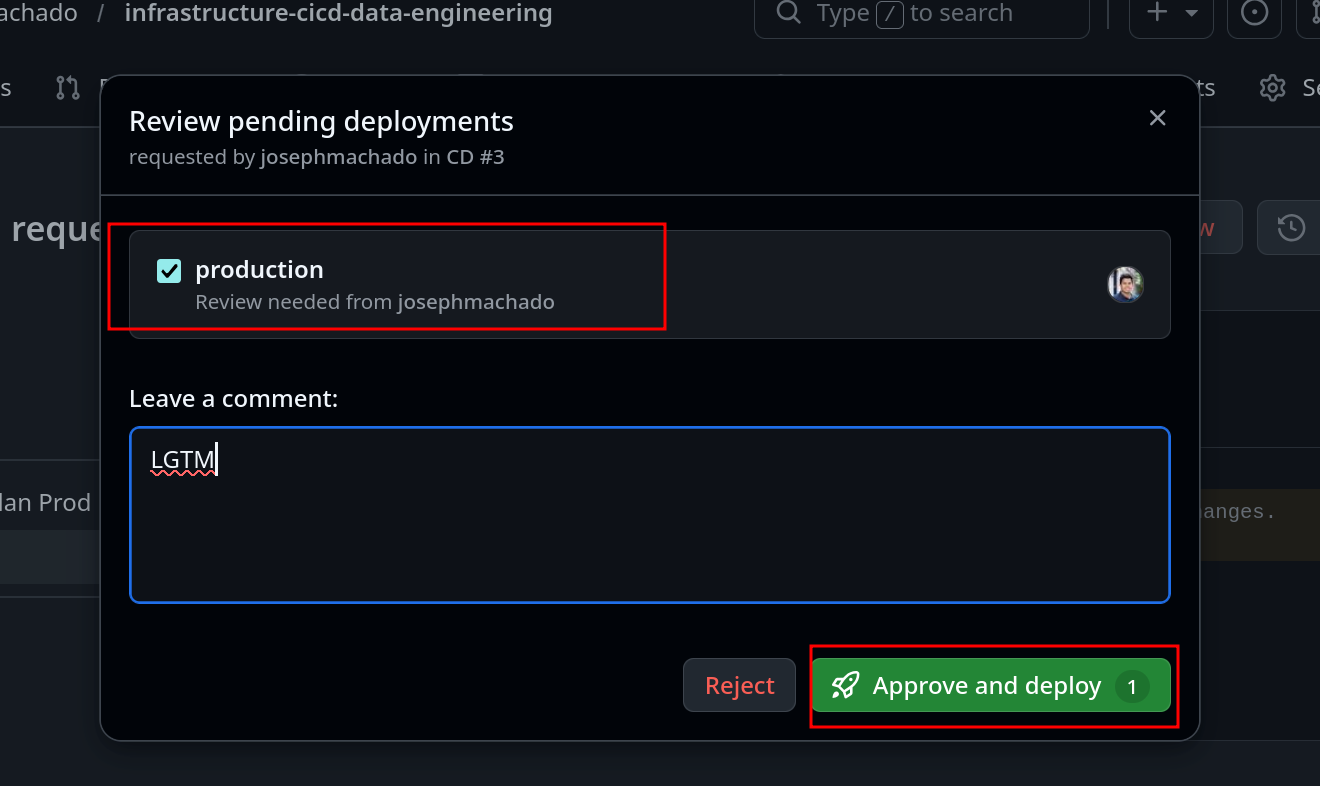
Human review is required to deploy infra changes to production
Since infrastructure changes are high-impact, they require manual human review. We had created an environment that requires atleast one human reviewer before being deployed to here.
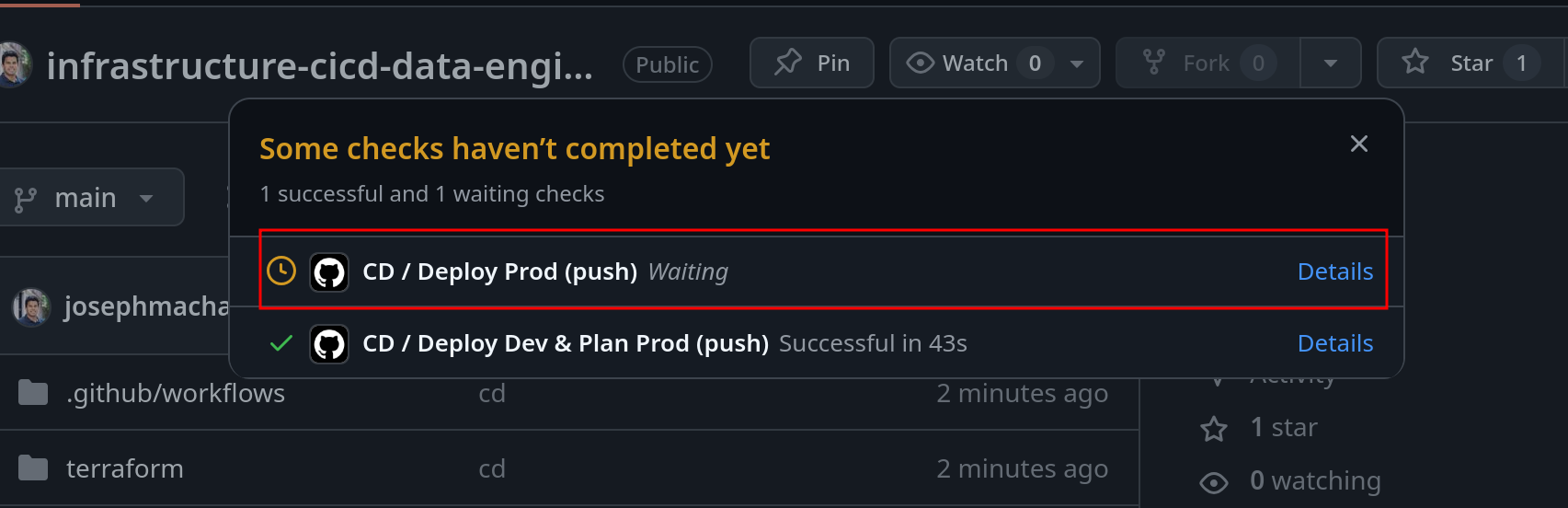
Click on the yellow dot on your repo to see the step waiting for human approval, as shown below.
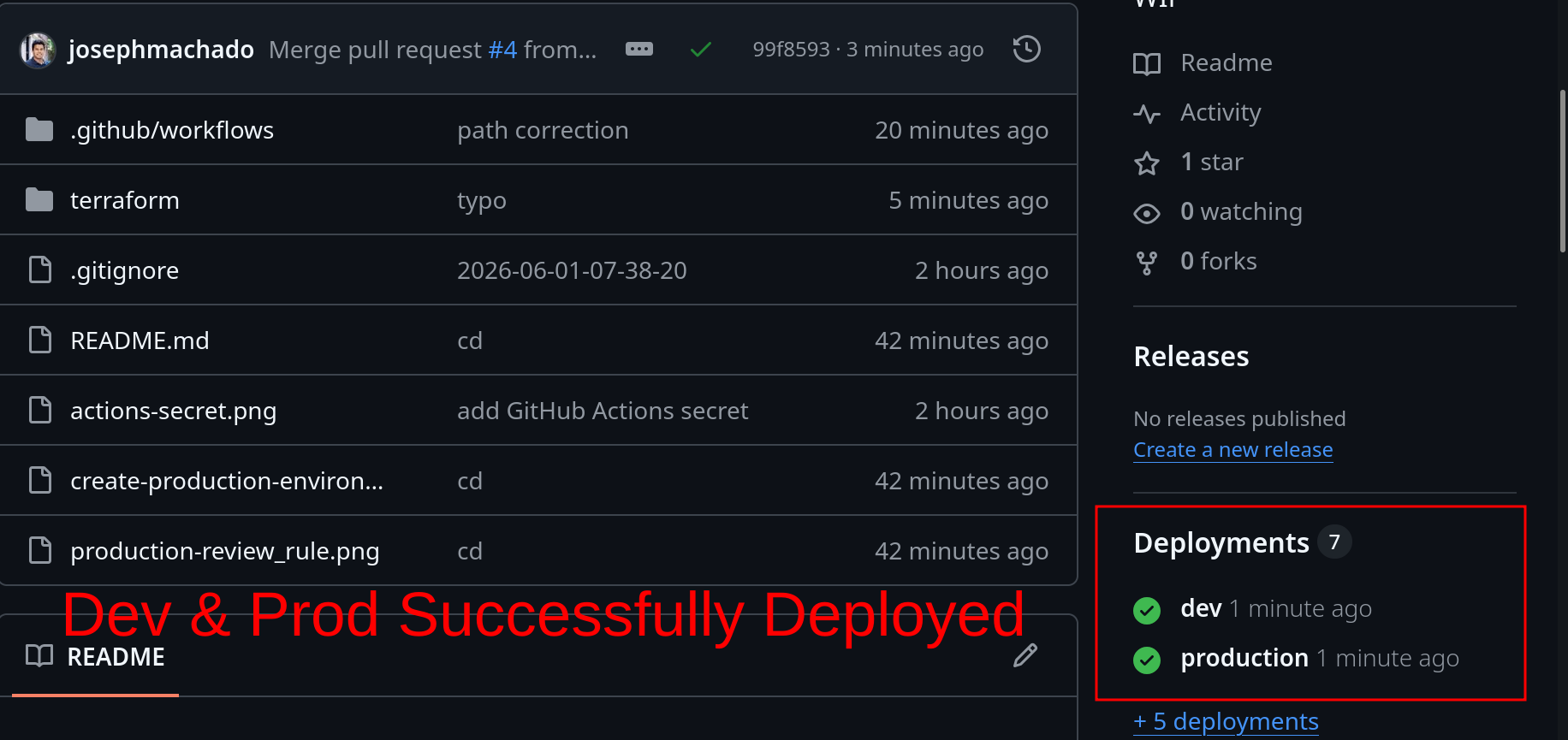
If production deploy was successful you will see this on your repo:
# ──────────────────────────────────────────────────────────────
# Job 2: apply to prod — gated by required reviewers on "production".
# Re-plans against current prod state and applies.
# ──────────────────────────────────────────────────────────────
prod-apply:
name: Deploy Prod
needs: dev-and-prod-plan
runs-on: ubuntu-latest
environment: production # required reviewers -> manual approval button
steps:
- name: Checkout code
uses: actions/checkout@v4
- name: Setup Terraform
uses: hashicorp/setup-terraform@v3
with:
terraform_version: ${{ env.TF_VERSION }}
- name: Configure AWS credentials
uses: aws-actions/configure-aws-credentials@v4
with:
role-to-assume: ${{ secrets.AWS_ROLE_ARN }}
aws-region: us-east-1
- name: Init (prod)
run: terraform -chdir=terraform init -input=false -backend-config="key=prod/terraform.tfstate"
- name: Apply (prod)
run: terraform -chdir=terraform apply -input=false -auto-approve -var-file=envs/prod.tfvars- 1
- This job runs after human approval
- 2
- Step to apply changes to prod
Conclusion
To recap, we saw
- CI/CD flow to deploy infrastructure changes
- How CI ensures PR is ready for human review
- How CD ensures infrastructure changes are deployed to dev
- Prod infrastructure deployments require human review
While companies can vary in the tools they use, additional checks, etc., they follow the CI/CD pattern above to deploy infrastructure changes to data pipelines.
The next time you are overwhelmed by the 1000-line Terraform file or complex yaml workflows. Take a look at the deployment UI, map it to the CI and CD processes above, and everything will fall in place.
The best way to learn is to use your own words to describe a concept.
In your own words, share your main takeaway on how data infrastructure is deployed via the CI/CD process.