Most Data Processing Costs Are Due to Full Table Scans
In a data warehouse, data is read far more often than it is written into. If you:
See data costs skyrocket as vendors charge based on the amount of data scanned & the compute to process it
Find yourself getting stuck when an interviewer asks, “How would you optimize this pipeline?” in design interviews
See BI tools/dashboards failing due to queries taking a really long time to run
This post is for you.
You can create data that is cheap and fast to query. We will see how you can do that in this post.
By the end of this post, you will have
- Data storage rule-of-thumb for analytical tables
- A way to 80% improvement in query cost & speed
To follow along with code
- Clone and start Spark containers as shown here.
- Open storage_patterns.ipynb and run the setup.
Only Read the Data You Want to Process
Most analytical queries include the same filters/joins/group by columns.
Store data in a way that enables the data processing system to only read the data needed by those queries.
Follow these rules of thumb and see your queries fly
Partition Fact Table by date(created_at), as It’s Often Filtered or Grouped by This Column
Let’s partition a table.
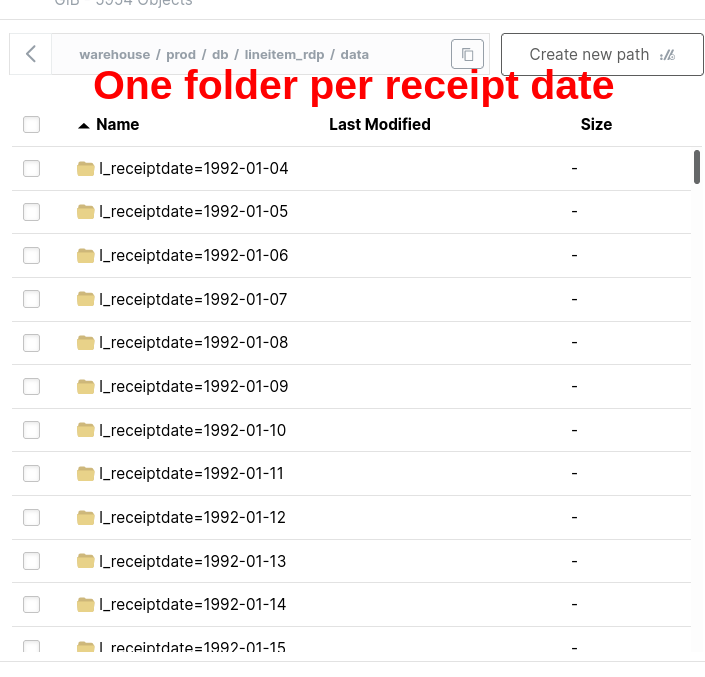
We will see that the filter on a partitioned table does not have in-memory filtering.
The process of selecting only the partition we need at the read level is called Partition Pruning.
== Physical Plan ==
*(1) ColumnarToRow
+- BatchScan demo.prod.db.lineitem_rdp[l_orderkey#80, l_partkey#81, l_suppkey#82, l_linenumber#83, l_quantity#84, l_extendedprice#85, l_discount#86, l_tax#87, l_returnflag#88, l_linestatus#89, l_shipdate#90, l_commitdate#91, l_receiptdate#92, l_shipinstruct#93, l_shipmode#94, l_comment#95] demo.prod.db.lineitem_rdp (branch=null) [filters=l_receiptdate IS NOT NULL, l_receiptdate = 8039, groupedBy=] RuntimeFilters: []
The filter l_receiptdate = 8039 indicates the date in epoch days and is done at the storage level.
Let’s compare this with a query on a table without partitioning.
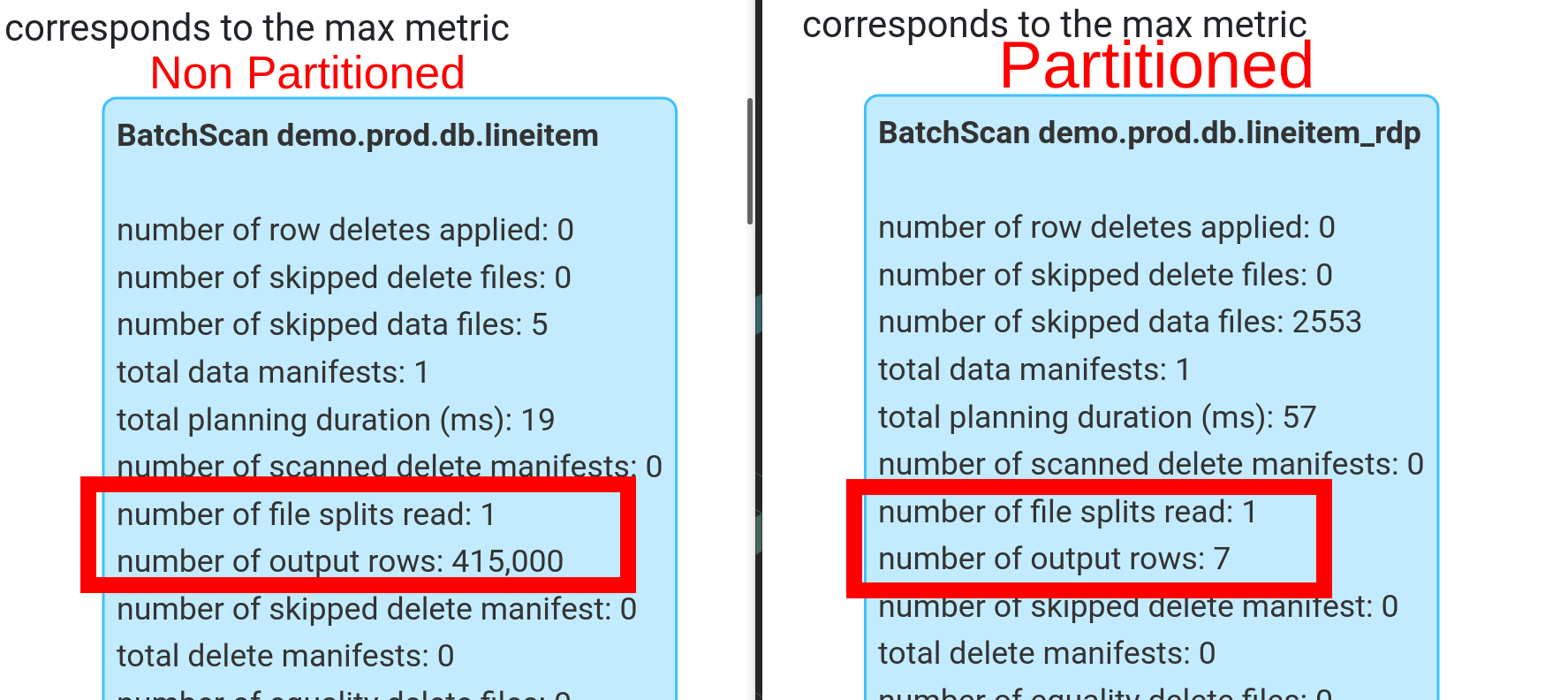
We can see how partition pruning makes queries more efficient by reading only the necessary data.
Use multi-column partition only when there is a measurable improvement across uses. Premature optimization can make queries slower by making the file size per partition too small.
Ensure your tech takes advantage of partitions. Older systems (Hive) have limitations around partition order, transformation-based partition, etc.
Bucket Fact Table on the ID Commonly Used in Join/Group By
Bucket on
high-cardinalitycolumns (columns with lots of unique values or a numerical range of values)Bucket fact table on column that’s used frequently to join another fact table or in group by
Only bucket snapshot dimension if it is a very large (approx > 5 million rows) by its natural id or common join id
Let’s bucket a table.
Bucketing is a type of partitioning.
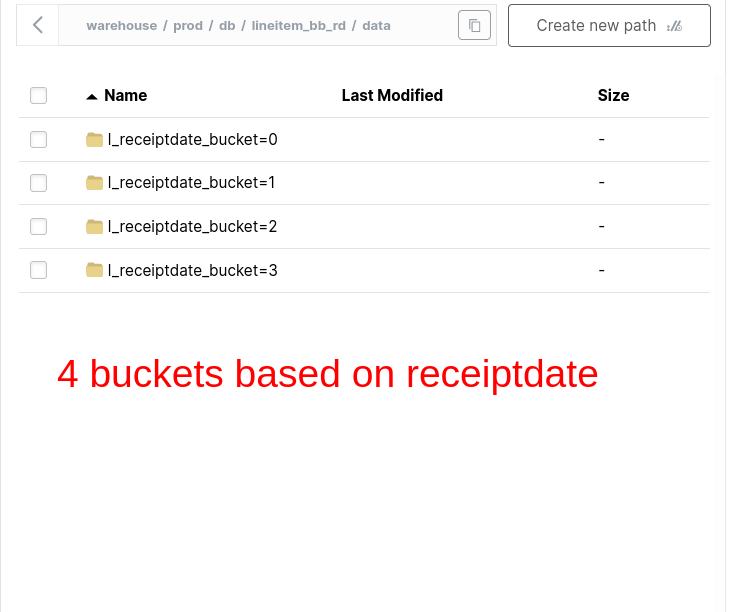
Bucketing helps avoid exchanges.
BUCKETING = NO Exchange
# settings to ensure Spark + Iceberg can leverage the underlying data layout
spark.conf.set(‘spark.sql.sources.v2.bucketing.enabled’,‘true’)
spark.conf.set(‘spark.sql.iceberg.planning.preserve-data-grouping’,‘true’)

spark\
.sql("""
SELECT l_receiptdate
, sum(l_quantity) as total_quantity
FROM lineitem_bb_rd
GROUP BY l_receiptdate
""")\
.explain()
#| code-overflow: wrap
== Physical Plan ==
AdaptiveSparkPlan isFinalPlan=false
+- HashAggregate(keys=[l_receiptdate#196], functions=[sum(l_quantity#188)])
+- HashAggregate(keys=[l_receiptdate#196], functions=[partial_sum(l_quantity#188)])
+- BatchScan demo.prod.db.lineitem_bb_rd[l_quantity#188, l_receiptdate#196] demo.prod.db.lineitem_bb_rd (branch=null) [filters=, groupedBy=l_receiptdate_bucket] RuntimeFilters: []We can see that there is no exchange. Because the l_receiptdate data is colocated and will be read by a single executor for computing aggregates.
Partitioning takes precedence; use bucketing only if it provides measurable gains in joins/group bys.
Sorting Makes Filter Pushdowns Effective by Reading Only the Necessary row_group
Filter pushdownis when a data processing engine uses metadata to only read the necessary data chunk on disk.
- Sort fact data on created_at timestamp, if there are no commonly filtered by numerical column.
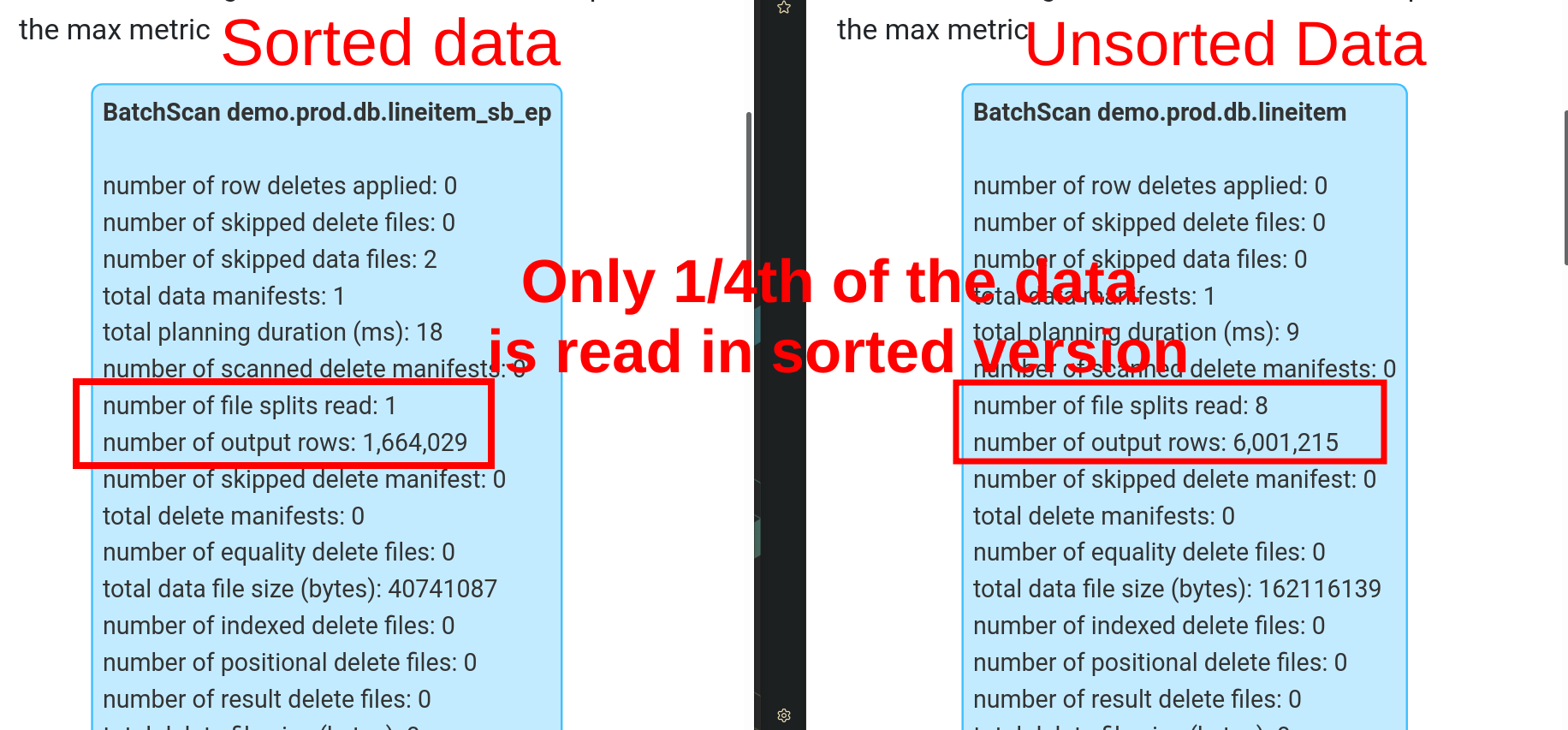
Let’s sort our fact table.
Let’s compare how the filter works on a sorted table.
Choosing an Appropriate Storage Pattern Is 80% of Pipeline Optimization
We saw why to
- Partition fact table by date(created_at)
- Bucket fact table on commonly used join/group by id
- Sort data to only read the necessary data chunks
Using these techniques will cover 80% of your optimization needs.
Start simple with these rules of thumb.
Only add more complexity if you see significant benefits. Comment below and let me know how you optimize your pipelines.